Preventing jank on focused overflow-causing elements
I recently fixed an annoying issue on my Projects page, and I did it with CSS, of course. That page has cards, and each of them have a title (with a link — a focusable one!) in a child container which slides out of view, at least on larger viewports.
A bit of important knowledge first, which is probably something you already knew intuitively: when tabbing to an element, the browser also scrolls you to its position, so you can see what you’ve focused on.
Back to my page, when using the Tab key to navigate through those cards, the child elements of the card (image included) would shift so the link would be in view, because the browser is trying to show that link as it’s being tabbed into focus, immediately. If you have no transitions, that won’t happen, but since here, the title container has a transition, the browser shifts, the transition moves elements, the browser adjusts a little more, until the transition is completed, and everything then settles into place. It’s not the end of the world, but it certainly isn’t pretty.
Why would this happen? The card has overflow: hidden, it should keep things hidden! Yes indeed, but actually if you’ve ever messed around with JavaScript, you’ll know you can programmatically scroll a container with overflow: hidden if its contents are taller than itself. Similarly here, the browser is scrolling the container to reveal the focused element within. All in all, it makes sense, the browser’s trying to help, making sure you can see what is in focus. But with the transition, it gets unsightly.
Here’s where a newer, better option comes into play: overflow: clip. For general use, it works exactly the same as hidden, but with a twist: the container can not be scrolled, even programmatically (also: it enables overflow-clip-margin, which can be useful, too!). This means that focusing to the link no longer triggers that dejected janky jump, and everything is smooth! See for yourself in the demo below (sorry, you’ll need a keyboard — there’s a video preview below)
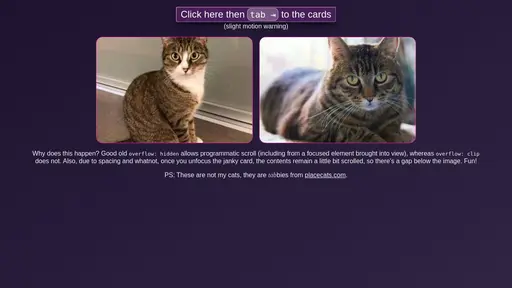
You might also notice in that demo that once you’ve focused away from the janky card, the image has a gap below which definitely wasn’t there before: that’s also due to the scroll. The container was scrolled to reveal the contents, but the link was visible before reaching back to the edge, so it just stays there… not great.
Note that Firefox is the worst offender, causing several “catch up” jumps during the transition, whereas Chrome and Safari seem to do a single jump at the start, and settle once the transition is over (which is also jarring as the image just disappears for a moment). I’m not sure how much the transition duration affects this but that’s a rabbit hole for another time.
Hope this gives you the push you might need to use overflow: clip a little more frequently. It’s been widely available for over 5 years now, so it’s pretty safe to use!