Removing link underline styles between icons and text
I recently made a little update to my site with a blogroll that includes the linked site’s favicon. I think it’s good to have that icon be clickable, so I wrapped icon and label within a standard link. It looked… okay.
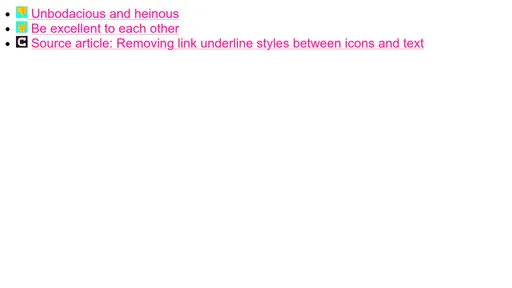
 Unbodacious and heinous
But first, some context: on my site, links automatically get styled based on tokens provided by the current theme, like so:
:any-link {
	--LINK-color: var(--_link-color);
	--LINK-underline-color: var(--_link-underline-color);
	--LINK-skip-ink: var(--_link-skip-ink);
	--LINK-underline-offset: var(--_link-underline-offset);
	--LINK-decoration-thickness: var(--_link-decoration-thickness);

	color: var(--LINK-color);
	text-decoration-color: var(--LINK-underline-color);
	text-decoration-skip-ink: var(--LINK-skip-ink);
	text-underline-offset: var(--LINK-underline-offset);
	text-decoration-thickness: var(--LINK-decoration-thickness);
}

:any-link:is(:hover, :focus-visible) {
	--LINK-color: var(--_link-color-active);
	--LINK-underline-color: var(--_link-underline-color-active);
	--LINK-skip-ink: var(--_link-skip-ink-active);
	--LINK-underline-offset: var(--_link-underline-offset-active);
	--LINK-decoration-thickness: var(--_link-decoration-thickness-active);
}
As you can see, the custom properties handle everything, and standard properties (color, text-underline…) don’t get directly updated on hover or focus: their underlying assigned value does. This makes overrides super easy but that’s not what I want to focus on.
<a href="...">
	<img src="..." alt="" width="16" height="16">
	Cool website
</a>
In this example, a very basic inline link introduces an underline between the image and the text. Inline images won’t get an underline in this case, but whitespace is text, and text gets an underline. This makes the gap a little awkward. We could resolve this with display: flex but I want this to be truly inline, keeping it as a basic link, allowing text to span multiple lines if needed, etc.
Okay so why am I rambling on about CSS custom properties? Well, by default, those suckers inherit. And since those links define inheritable custom properties, with a couple of new classes, it becomes easy to fix this issue:
.link-label-anchor {
	/* The link gets reset to look like normal text */
	color: inherit; /* Optional unless you have inline SVG that should look like normal text */
	text-decoration: none;
}

.link-label-text {
	/* The label element then gets styled as if it were a standard link */
	color: var(--LINK-color);
	text-decoration: underline; /* You'd use text-decoration-line: underline; to be more intentional, but this serves as a good fallback, too! */
	text-decoration-color: var(--LINK-underline-color);
	text-decoration-skip-ink: var(--LINK-skip-ink);
	text-decoration-thickness: var(--LINK-decoration-thickness);
	text-underline-offset: var(--LINK-underline-offset);
}
As for the HTML, a little tweak gives us what we want:
<a href="..." class="link-label-anchor">
	<img src="..." alt="" width="16" height="16">
	<span class="link-label-text">Cool website</a>
</a>
So hovering the <a> still passes the updated custom property values to the <span> within, so we don’t truly need to re-invent the wheel.
I think of this as a kind of reversed “stretched link”… but only kind of: a stretched link requires more planning (no relative ancestor between the “target” link container and the actual link, or it breaks), and won’t work correctly for inline text if it breaks into separate lines.
A small but nice difference… the gap is no longer underlined:

Oh and if you’re thinking a step ahead: yes, you can definitely merge these rules to reduce repetition. Putting it all together, it would look like this:
:any-link {
	--LINK-color: var(--_link-color);
	--LINK-underline-color: var(--_link-underline-color);
	--LINK-skip-ink: var(--_link-skip-ink);
	--LINK-decoration-thickness: var(--_link-decoration-thickness);
	--LINK-underline-offset: var(--_link-underline-offset);
}

:any-link:is(:hover, :focus-visible) {
	--LINK-color: var(--_link-color-active);
	--LINK-underline-color: var(--_link-underline-color-active);
	--LINK-skip-ink: var(--_link-skip-ink-active);
	--LINK-underline-offset: var(--_link-underline-offset-active);
	--LINK-decoration-thickness: var(--_link-decoration-thickness-active);
}

:any-link,
.link-label-text {
	color: var(--LINK-color);
	text-decoration: underline;
	text-decoration-color: var(--LINK-underline-color);
	text-decoration-skip-ink: var(--LINK-skip-ink);
	text-decoration-thickness: var(--LINK-decoration-thickness);
	text-underline-offset: var(--LINK-underline-offset);
}

.link-label-anchor {
	color: inherit;
	text-decoration: none;
}
I can :has()?
If you want to use more modern CSS techniques, you can use :any-link:has(.link-label-text) instead of .link-label-anchor, or even :any-link:has(:is(img, svg) ~ span) (use :any-link:has(:is(img, svg)):has(span) to allow any order) if you wanted to avoid classes altogether: you’d only need to wrap the text in a <span> so it could be targeted for styling.
I also threw it into a CodePen just for kicks: